
CRM For Small Business: Key Features, Functions, And Use Cases

Contact management features in CRM for small business
Contact management in small-business CRM typically organizes individual and organizational records with structured fields and activity logs. Common elements include configurable contact fields, tags or labels for segmentation, and a chronological timeline that aggregates e-mails, calls, and notes. For many small teams, quick-search functionality and basic deduplication routines are valuable because they reduce time spent reconciling multiple entries for the same person. Privacy and data governance considerations are also relevant: teams may set permissions to limit who can view sensitive fields and ensure that personal data handling follows local legal requirements.
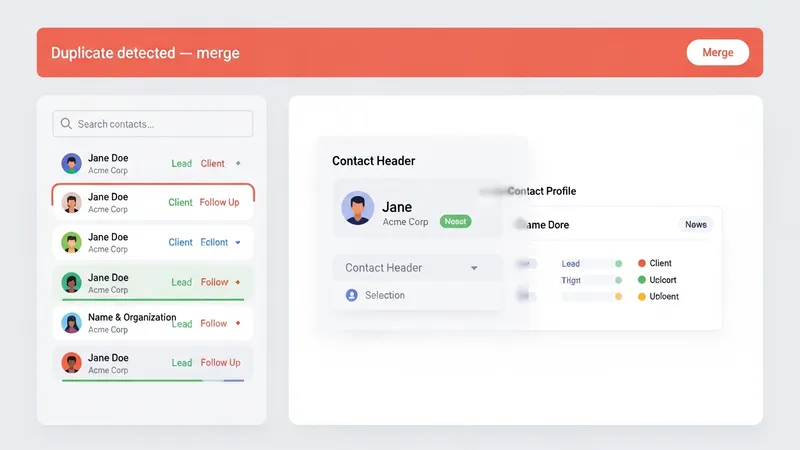
Data quality practices often determine how useful contact modules become over time. Simple standards—such as requiring a source field for each new record or enforcing a consistent format for phone numbers—may reduce errors. Small businesses sometimes adopt minimal validation rules to avoid blocking legitimate entries while still prompting cleaner data. Export and import capabilities are frequently used for initial population of contacts; these features often include mapping tools that match CSV columns to CRM fields and offer preview steps to reduce import mistakes.
Integrations tied to contact management commonly include e-mail clients, calendar systems, and lead capture forms. When set up, these integrations can automatically attach e-mail threads to contact records, log meeting outcomes, or create new records from web inquiries. For smaller teams, lightweight integrations that require little maintenance tend to be preferred because they lower ongoing operational overhead. Teams should treat integrations as data flows that need occasional review to confirm they are still mapping correctly and not creating duplicate records.
Operationally, contact management features support coordination among team members by assigning ownership and setting reminders for follow-up. Ownership fields and shared activity lists can clarify responsibility without requiring frequent meetings. In small firms where staff roles overlap, the CRM’s audit trail of interactions can also provide context for handoffs. Overall, contact management is a foundational module that may influence how other CRM components—pipeline tracking, automations, and reporting—function in practice.